VWORLD Registration Guide – Account Setup & Management
Complete illustrated tutorials for creating your VWORLD account, recovering a forgotten password, adding friends, and changing language settings. 查看中文版
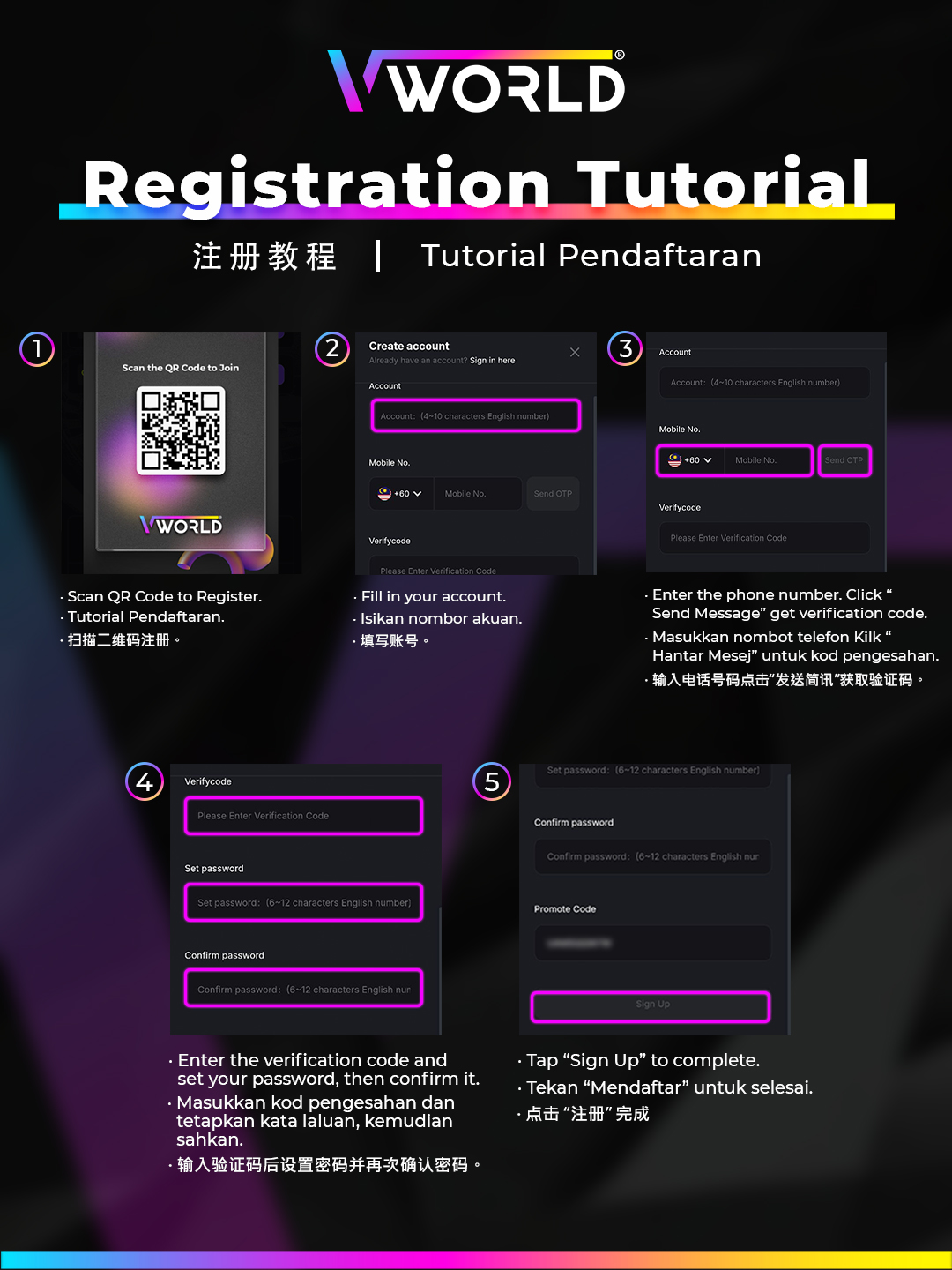
How to Register a New VWORLD Account
Follow these steps to create your free VWORLD Malaysia account in under 2 minutes:
- Visit vworldofficial.net and tap the Register button.
- Enter your Malaysian mobile number — this becomes your login username.
- Set a secure password (minimum 6 characters, mix of letters and numbers recommended).
- If you have a referral code, enter it in the invitation field.
- Tap Send OTP, enter the 6-digit code received on your phone.
- Your account is ready — log in and make your first deposit to claim the 100% welcome bonus.
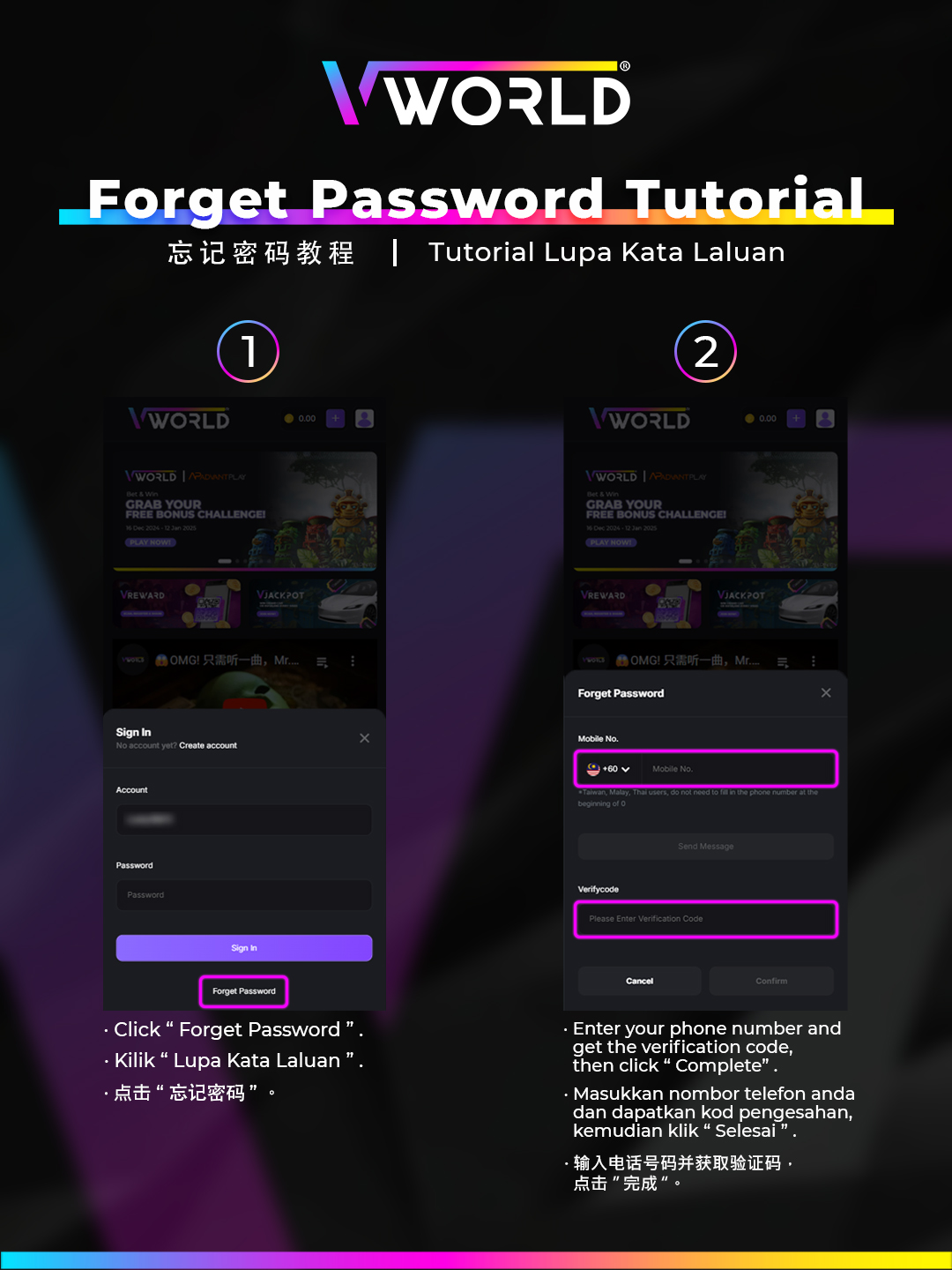
Forgot Password – How to Reset Your Login Password
If you cannot log in because you forgot your password:
- On the login screen, tap Forgot Password.
- Enter your registered phone number.
- Tap Send OTP and enter the code received.
- Enter and confirm your new password.
- Log in with your new credentials.
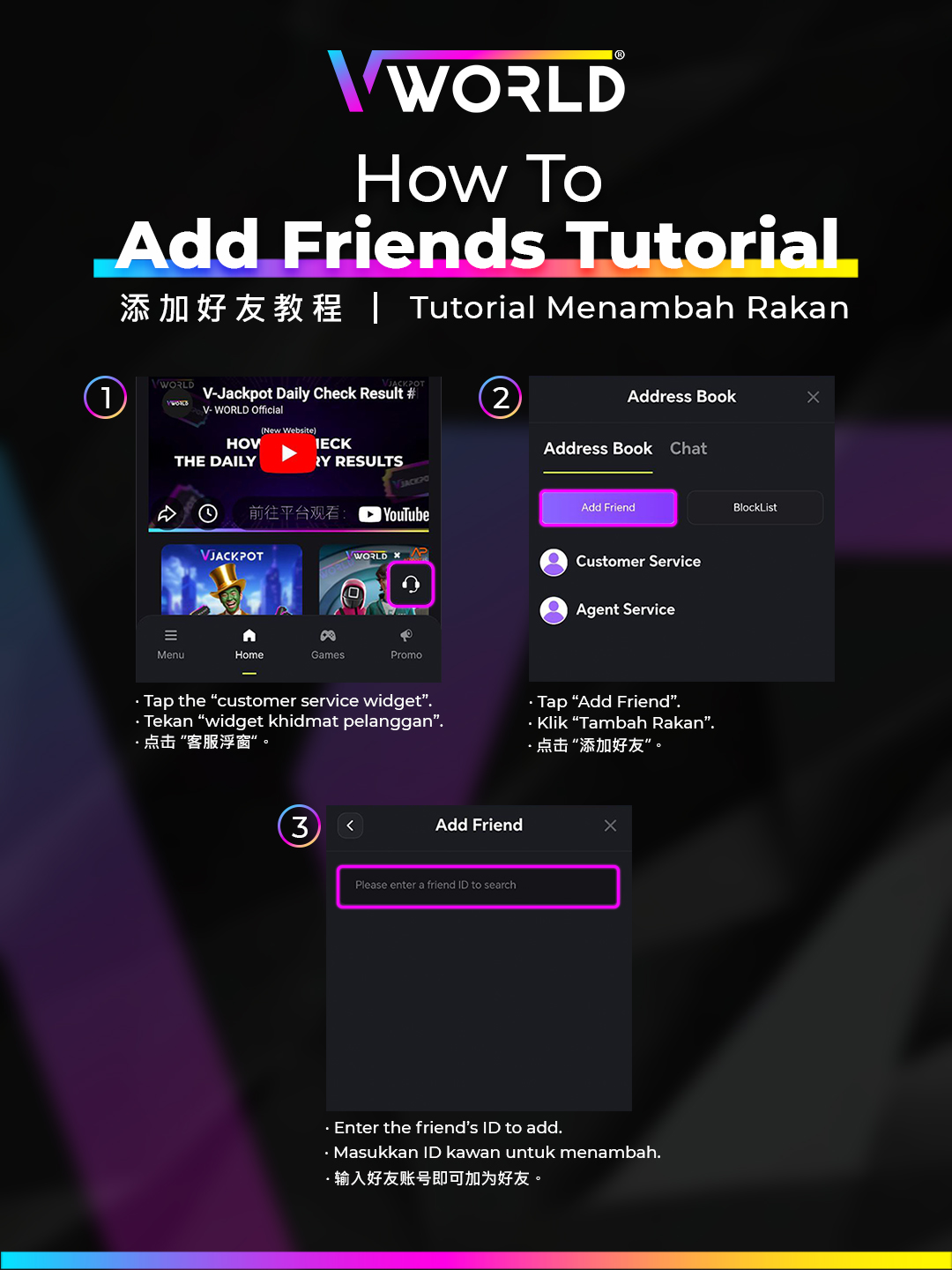
How to Add a Friend on VWORLD
- Log in to your VWORLD account.
- Navigate to Profile → Friends or the social section.
- Enter your friend's username or phone number in the search field.
- Tap Add Friend and wait for them to accept.
- Once connected, you can send envelopes (bonuses) to friends directly.
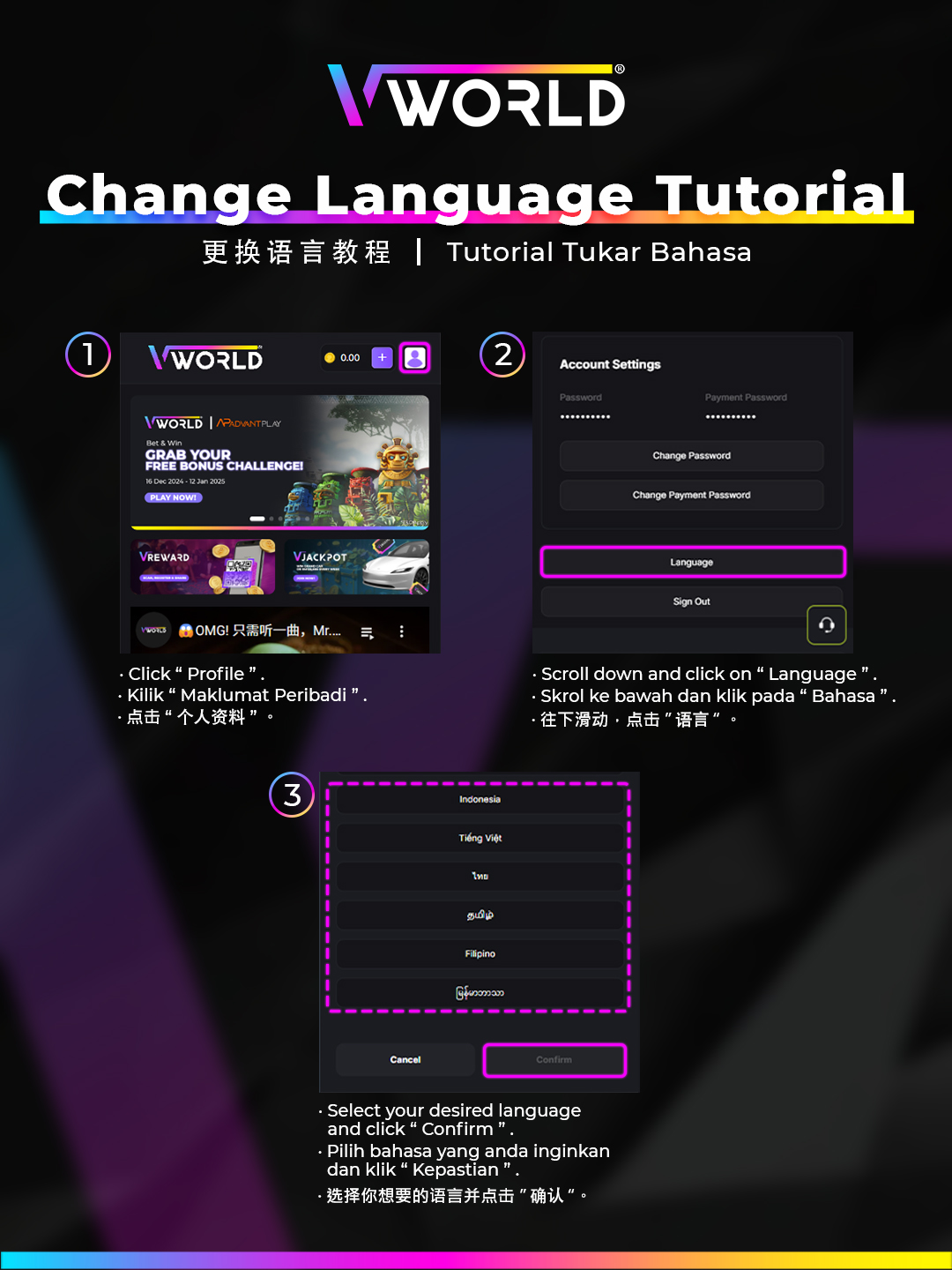
How to Change the Language Setting
- Tap the Menu icon (hamburger icon) in the bottom navigation bar.
- In the side drawer, scroll to the bottom and tap the Language / 语言 icon.
- Select your preferred language: EN English or 中文 Chinese.
- The page will reload in the selected language.